
Build Your Future
with Real Skills
The future doesn't wait, and neither should you. At Kon Mostakbalak Academy, we equip students and professionals with real-world skills that matter today: Technology, Engineering, and Global Languages. This is not traditional education, this is practical, fast, and designed to move you forward. Start building the future you deserve.
 Course of the Week
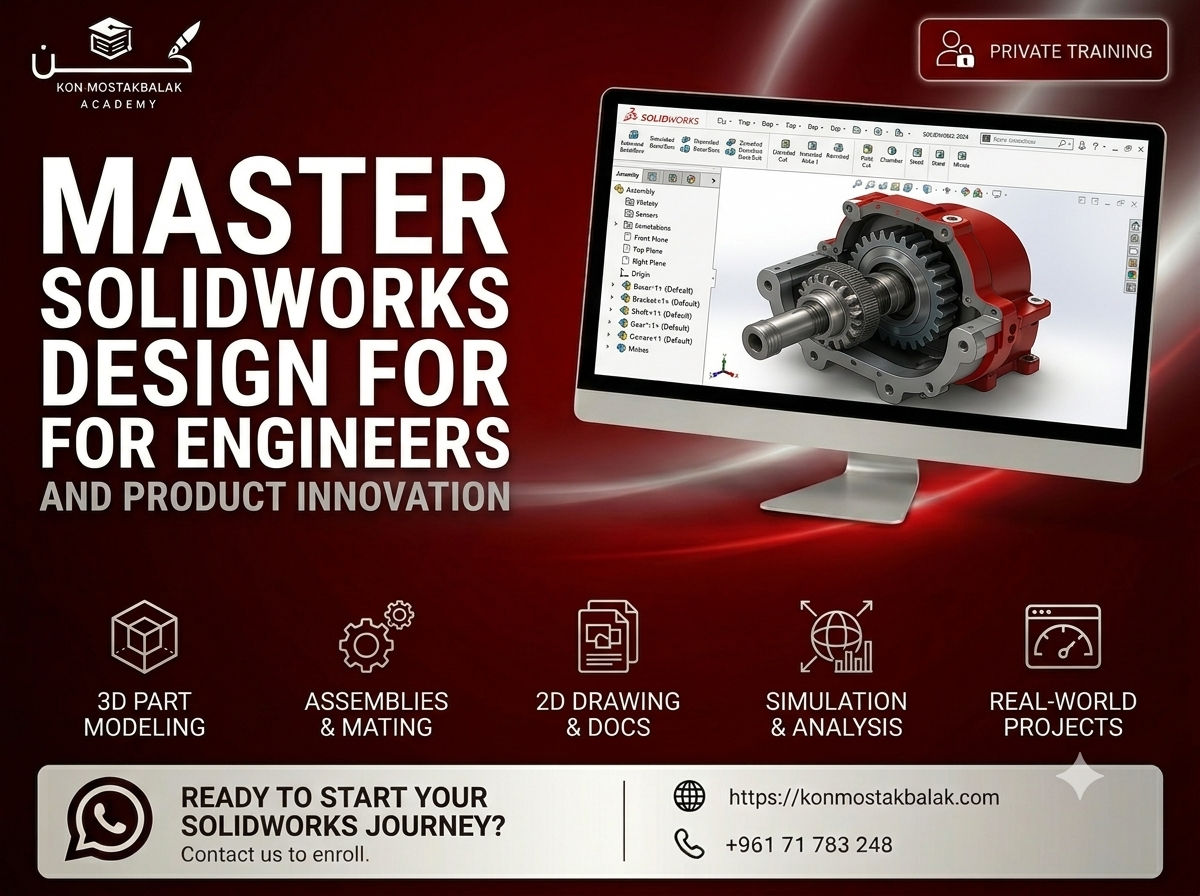
SolidWorks Essentials : From Beginner to Professional
## Learn SolidWorks and Build Real Mechanical Designs Learn SolidWorks from the ground up and develop the practical skills needed to design, model, and document mechanical components used in real engineering and manufacturing environments. This course takes you through SolidWorks step by step, starting with basic sketches and gradually moving into 3D part modeling, assemblies, technical drawings, sheet metal, and more advanced modeling techniques. The training is project-based, so you'll have the opportunity to apply what you learn to realistic engineering projects rather than simply following software demonstrations. By the end of the course, you'll be able to create complete mechanical parts, build assemblies, produce professional technical drawings, and prepare your designs for manufacturing. # What You Will Learn ### Sketching and Parametric Design - Create accurate 2D sketches - Use geometric relations and dimensions - Fully define sketches - Understand parametric modeling - Build a strong foundation for 3D modeling ### 3D Part Modeling Learn how to create mechanical parts using essential SolidWorks features, including: - Extrude - Revolve - Sweep - Loft - Fillets and chamfers - Holes and patterns - Reference geometry - Multi-body parts ### Advanced Part Design - Work with more advanced modeling features - Create complex mechanical shapes - Understand design intent - Build and modify multi-body models - Improve your modeling workflow ### Assembly Design - Create assemblies from individual components - Apply mates and relationships - Check how components interact - Understand basic assembly motion - Identify potential design issues - Build functional mechanical assemblies ### Engineering Drawings Learn how to turn your 3D models into professional technical documentation. You'll work with: - Drawing views - Dimensions - Section views - Detail views - Annotations - Bill of Materials (BOM) - Production-ready documentation ### Sheet Metal Design - Create sheet metal components - Work with bends and folds - Create flat patterns - Prepare sheet metal designs for manufacturing - Understand common sheet metal workflows ### Surface Modeling - Understand the basics of surface modeling - Create more complex shapes - Combine solid and surface features - Work with designs that are difficult to create using standard solid modeling techniques ### Manufacturing File Preparation Learn how to prepare and export your designs for different manufacturing processes. You'll work with common formats such as: - PDF - DXF - STEP - Other standard CAD formats # Course Modules ## 1\. Sketching and Part Modeling Fundamentals Start with the SolidWorks interface and learn the fundamentals of sketching, dimensions, relations, and basic 3D modeling. ## 2\. Advanced Part Features Move beyond the basics and learn how to create more detailed and complex mechanical components using advanced modeling features. ## 3\. Assembly Design and Motion Learn how to bring individual parts together, create functional assemblies, apply mates, and check component movement. ## 4\. Engineering Drawings and Documentation Create professional technical drawings with dimensions, annotations, views, and BOMs that can be used to communicate designs for manufacturing. ## 5\. Sheet Metal and Surface Modeling Explore additional SolidWorks tools for designing sheet metal components and creating more complex geometries. ## 6\. Final Project Put everything you've learned together in a complete engineering project. You'll work through the design process from the initial concept and modeling stage to assembly, documentation, and final file preparation. # What You Will Gain - Solid foundation in SolidWorks - Practical experience with mechanical modeling - Experience designing parts and assemblies - Knowledge of engineering drawings and documentation - Understanding of manufacturing-ready design - Experience with sheet metal and surface modeling - Real project experience - A portfolio-ready engineering project - Certificate of Completion # Who Is This Course For? This course is suitable for: - Mechanical engineering students - Mechanical engineers who want to improve their CAD skills - Designers and technicians - Beginners entering the CAD field - Students interested in product design - Professionals working in manufacturing - Anyone interested in mechanical design and 3D modeling # Why Learn SolidWorks? SolidWorks is widely used for mechanical design, product development, engineering, and manufacturing. Learning the software is not only about knowing which tools to click. A good SolidWorks workflow requires an understanding of design intent, modeling techniques, assemblies, technical documentation, and how designs eventually move into manufacturing. This course focuses on those practical skills so you can go beyond creating simple 3D models and start working on complete engineering designs. # Ready to Start? If you want to learn SolidWorks through practical projects and develop skills that can be applied to mechanical design and manufacturing, this course will give you a solid starting point. Contact us via WhatsApp to learn more about the training, ask your questions, and register. **Learn SolidWorks. Build real designs. Develop practical engineering skills.**
What Makes Us Different
We combine structured learning, real-world applications, and guided support to ensure every learner doesn't just understand — but can actually do.
Practical Learning First
We focus on skills you can apply immediately — not just theory.
Future-Oriented Programs
From engineering to AI tools, we teach what the market actually demands.
Fast & Focused Education
No wasted time. Courses designed to deliver maximum value in minimum time.
Accessible to Everyone
Whether you're a student or a professional, programs built for your level.
What Our Students Say
Real results from learners who chose practical skills over theory. Their words, their progress, their future.
I joined the AutoCAD course knowing nothing. Two months later I was doing real electrical drawings at my job. The private sessions made all the difference — I never felt lost.
The English program actually got me speaking, not just memorizing grammar. I finally passed my IELTS and got accepted into university abroad. Forever grateful to this team.
As a business owner, the AI & Automation course saved me hours every week. I automated my whole customer follow-up. Practical from day one — exactly what they promise.
The web development bootcamp took me from zero to building real websites. The instructors care, they answer every question, and the projects are things you can actually show clients.
Flexible online sessions that fit around my work schedule. The graphic design course gave me a portfolio I'm proud of — I landed my first paid client before I even finished.
What I loved most is that it's not traditional teaching. Everything is hands-on and to the point. I recommend Kon Mostakbalak to anyone serious about building real skills.
Ready to Take Control of Your Future?
Start your journey today. Explore our programs or join a free workshop to get started. This is not traditional education — this is practical, fast, and designed to move you forward.